
VM and Container Security (CWPP)
Comprehensive protection for virtual machines and containers in dynamic cloud environments. Full agentless coverage: automatic detection and verification of new resources.
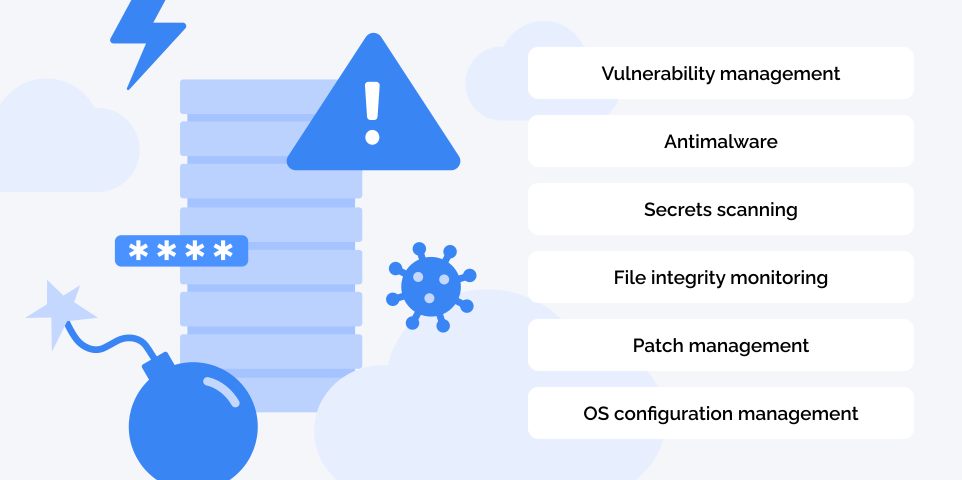
100% coverage in minutes
Cloud Advisor uses an agentless approach to scan workloads’ block storage. This innovative method:
- Provides 100% coverage of all virtual machines and containers immediately after deployment
- Allows you to deploy Cloud Advisor in minutes and get full information about all vulnerabilities in the infrastructure within an hour
- Does not require work to install and update agents, reducing the total cost of ownership
- Has no effect on virtual machine performance
- Does not require a network connection between the virtual machine/container and the scanning module
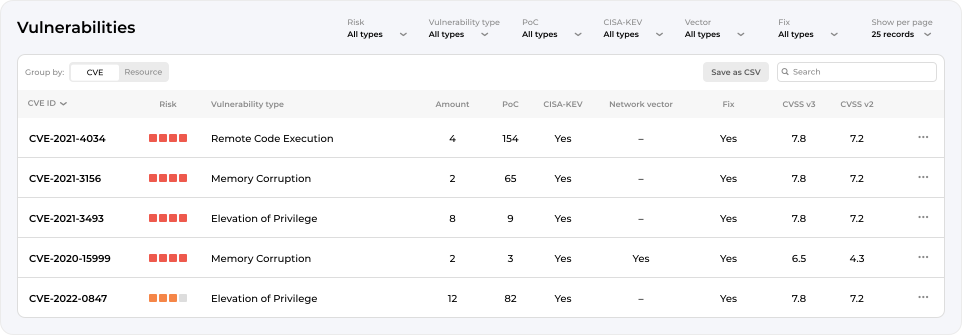
Vulnerability management
Cloud Advisor identifies and prioritizes vulnerabilities in operating systems, packages and libraries on virtual machines and containers deployed in the cloud without the use of agents.
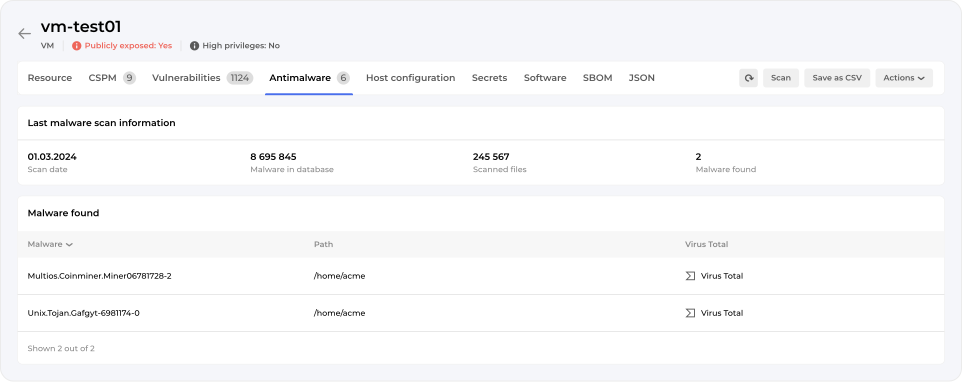
Antimalware
Find ransomware, trojans, viruses, miners and other malware on virtual machines without impacting performance.
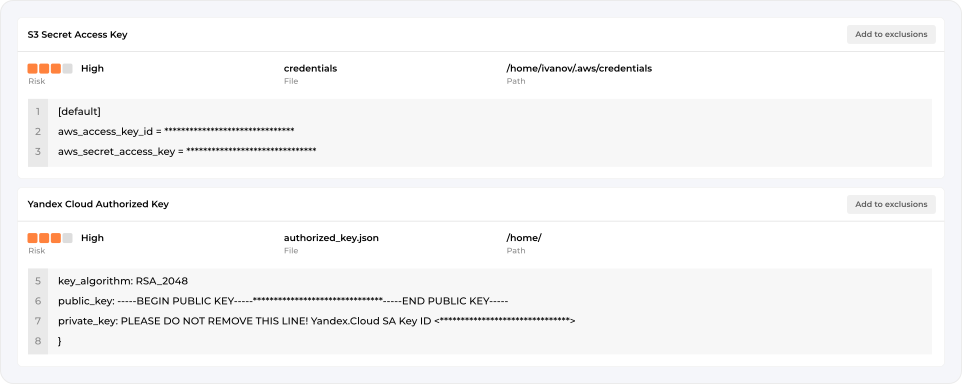
Secrets scanning
Identifying secrets and access keys stored in plain text prevents the lateral movement of an attacker within the cloud infrastructure. The Secrets scanning module allows to find cloud access keys, SSH-keys, keys for S3, GitLab, GitHub and other services.
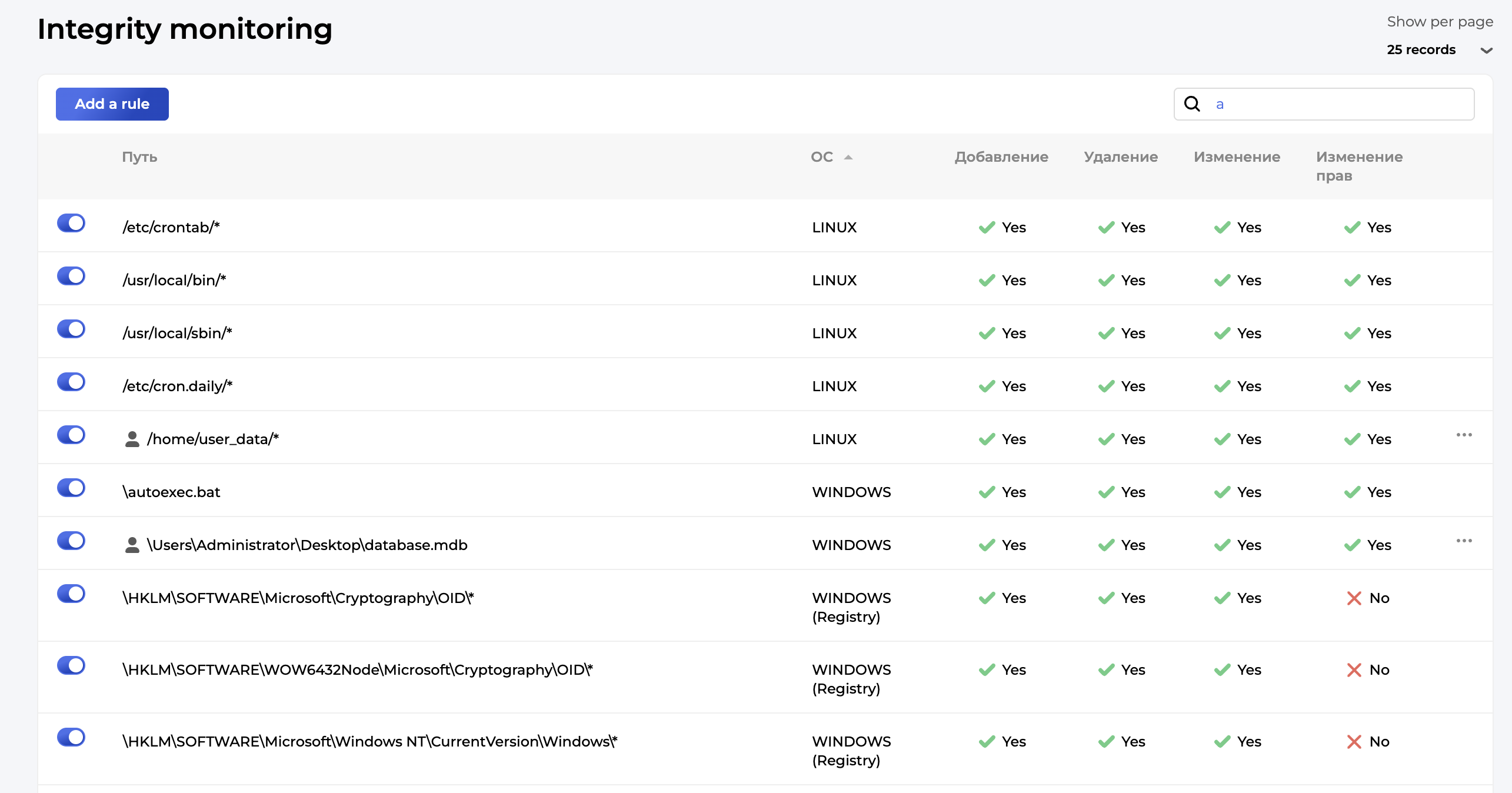
File Integrity Monitoring
Detection of changes to critical objects on virtual machines (files in Linux, files and the registry in Windows). The solution operates agentlessly and ensures timely detection of suspicious activity, as well as compliance with regulatory and corporate security standards.
Host Configuration
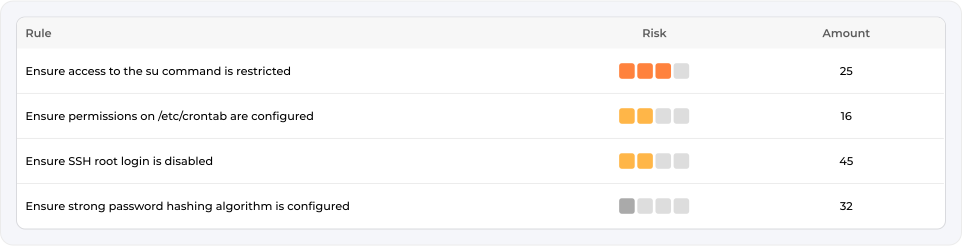
Identification of attack paths related to insecure OS settings and checking for compliance with “CIS Benchmark”.
Patch management
The Patch management module allows to identify operating systems and software that have reached EOL (End-of-life) or EOS (End-of-support) status and are no longer supported. The functionality also provides information about current versions and available updates for operating systems and software running on virtual machines and containers.
